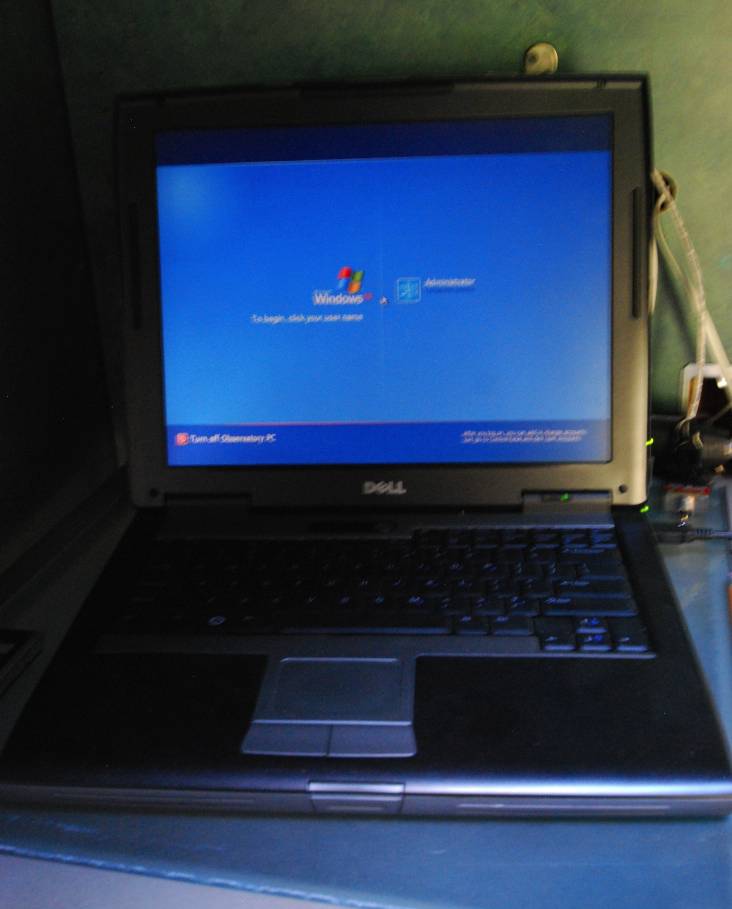
After spending a long time (1.5 years?) operating the scope out in the [cold] driveway, and trying several different communications approaches (from the telescope to my office, using USB, ethernet, and other methods), I decided it was time to buy a computer to run the equipment. Of course, at the time, I had no observatory, so the computer sat on the wheely bar (seen below) along with all of the other equipment. It communicated wirelessly via our WLAN, so that I could operate everything from the office. The advantage of a separate computer is that it can operate the equipment undisturbed, while I do other things on the office computer, or disconnect it entirely. Therefore, the Dell makes the set-up autonomous. As you can see, I call this my "Dell Astro Laptop". I should note that I'm a Macintosh afficionado, and typically would never buy a Dell, but I found this computer on Astromart, and it seemed like the right price and the right time for it. It has now been operating in the observatory 24/7 for the past 9 months faultlessly (plugged into a UPS, as the battery is shot), and for at least a year before that, sitting on my wheely bar in the driveway. My approach currently is to log into the Dell with my MacBookPro 17" (OLD) that stays on my desk in my office. I can put the Mac to sleep. Then, I can wake it remotely (via iphone), and start the Remote Desktop client (if not already running). At this point, all of the windows from the Dell that control my observatory - TheSkyPro6, MaximDL, FocusMax, Weather, Internet (for controlling power, and monitoring webcams), Dome control, FocusMax, and CCDAutoPilot - are all arranged on my 30" 2560x1600 resolution screen in my office (whether the monitor is actually on or not). I then use Remote Management (screen sharing and control) of the Mac in my office using either my iPhone, or my MacBookPro 17" (New) that is always with me when I travel. Therefore, I am seeing the Dell screen on the 30" screen connected to the computer in my office - from anywhere in the world! The iPhone does an incredible job of rendering the 30" screen on its 3.5" screen ... but it would be much better on an iPad! |
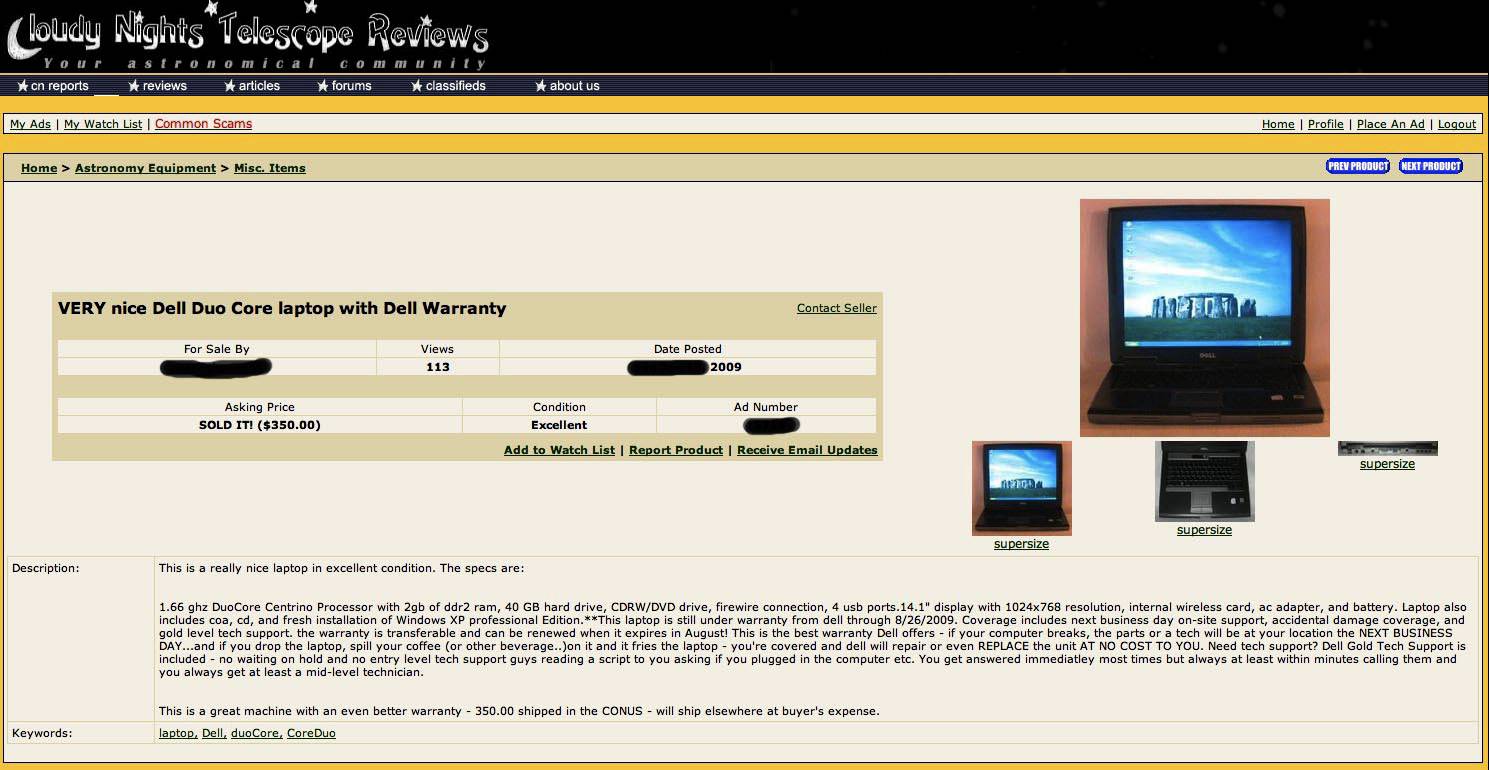 |
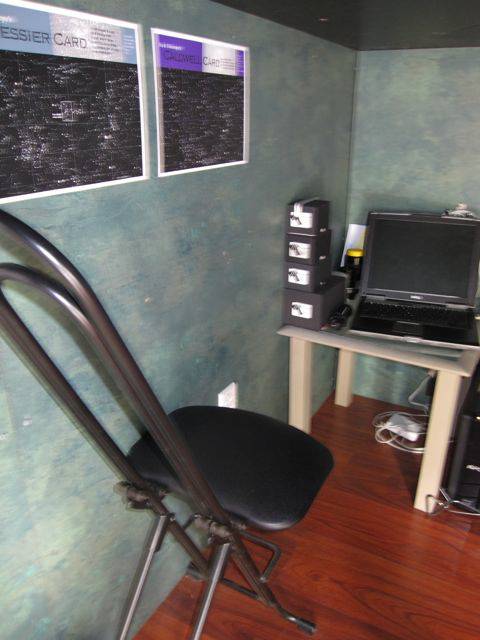
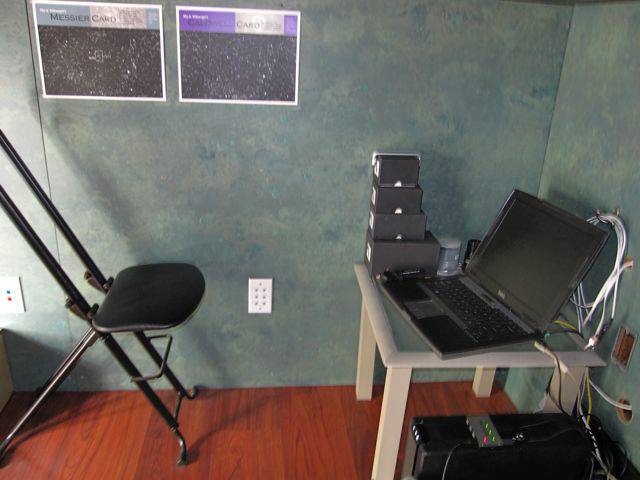
As you can see, it is a rather 'weak' computer - only a 1.66GHz Core Duo Centrino, 2GB RAM, and a 40GB hard drive. I now have 3 external USB drives connected to the Dell, including a 500GB and two 1TB disks - needed for the massive amount of data being collected every night (at 22 MB per image, including lights and flats - if not darks - the system can generate well over a Gigabyte of images per night!). I can access any of these disks remotely through my network or via the internet from wherever I am (I've learned quite a bit about "port forwarding"!). Below, you can see the Dell Astro laptop corner in my observatory (the screen is dark, but it is always running): |
  |
And below, you can see the Dell Astro Laptop at the bottom of the wheely bar, in my driveway setup: |
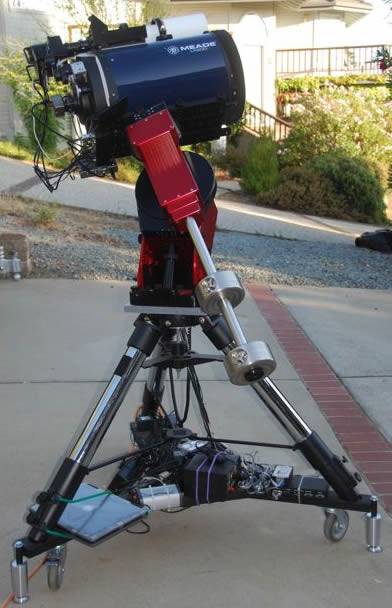 |
On the bottom of the wheely bar are the Dell astro laptop, the Astrohub, the Digial Loggers internet power controller, a DC power supply for dew heaters, the RoboFocus controller, an inverter (not used), and all of the power supplies for the mount, camera, rotator, focuser, etc. I rolled this in and out of the garage (about 15'), and placed the wheely bar on my specially-designed ball-bearing mounts. However, in good weather (we have about 6 months of clear skies and heat) I would leave this entire set-up out on the driveway - out of the way of my wife's car backing in and out of the garage (!) - and covered it with a large rolling patio umbrella during the day (and threw a sheet over the scope and tied it at the bottom, in case it was windy). Amazingly, this laptop has now performed well for nearly 2 years since I bought it. It is running 24/7, and I can access it from anywhere in the world. All of my observatory operations are run by the Dell, and my control is through Remote Desktop control of the Dell using either my MacBookPro or my iPhone. |
I know that I'll eventually need to replace this computer, but am really trying to put that off as long as possible. Although replacement with a desktop would allow me to re-boot the computer from a power-on remotely, and although the computers are much faster now, I am not prepared to move to Windows 7, so would probably need to put XP on the machine anyway (thereby not taking advantage of the 64-bit operating system, etc.). I do have the Dell backed-up, so theoretically I should be able to move everything to a new computer. However, I have also had problems in the past doing this, when some of the BIOS items no longer matched the physical system, and I had to do some detailed work to get it working. In any case, for now, the Dell is doing a remarkable job. I even use it for most of my Windows-based processing, such as CCD-Stack (although I can also run that on my Mac using Parallels or Bootcamp). So-far, I am impressed with the ruggedness and stability of this computer! |